Brat Aesthetic Wallpaper: How to Make Your Own Free Phone & Desktop Background
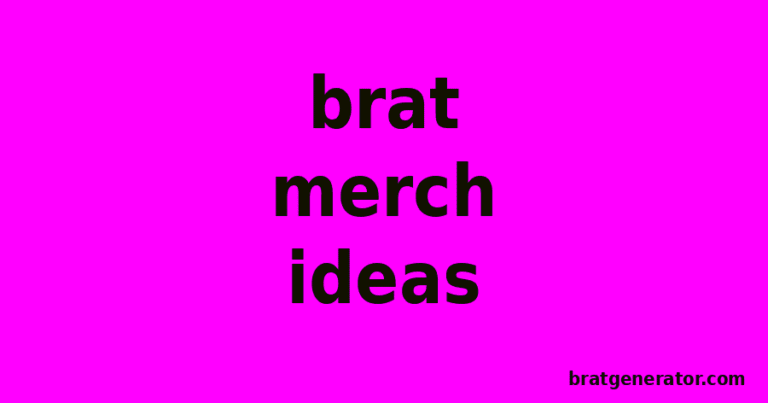
A Brat wallpaper is a phone or desktop background built from Charli XCX’s Brat album aesthetic: a flat, saturated color field (usually Brat Green, #8ACE00) with a short lowercase word or phrase set in bold, slightly blurred sans-serif type. The look works because it’s minimal — one color, one word, no ornamentation — which is exactly why it translates so well to a lock screen. Below is a step-by-step way to build your own in under two minutes, plus sizing tips for every device and answers to the questions people actually ask before they commit to one.
What Actually Makes a Wallpaper “Brat”
Before building one, it helps to know what separates a genuine Brat-style wallpaper from a generic green background with text on it. Three things do the work:
- A flat, single-tone background. No gradients, no textures, no photography. The original album art is one solid color, and that flatness is the entire visual signature.
- Bold, lowercase, condensed type. The wordmark uses a heavy, slightly squeezed sans-serif — Arial Narrow Bold is the closest common match — set entirely in lowercase, even for proper nouns.
- A touch of blur. The original cover applies a soft blur to the text, which reads as intentional imperfection rather than a rendering error. It’s subtle: enough to soften the edges, not enough to make the word unreadable.
Skip any of the three — use a gradient, a rounded font, or crisp non-blurred text — and the result reads as “green background” rather than “Brat.” That distinction matters more for wallpapers than for social posts, because a wallpaper sits on your screen for weeks and either looks intentional or looks like a rough copy.
How to Make a Brat Wallpaper (Step-by-Step)
You don’t need Photoshop or a design background for this. The Brat Text Generator handles the type and color in your browser, with nothing to install and nothing uploaded anywhere.
1. Pick your word or phrase first
Wallpapers are read at a glance, not studied, so the strongest ones use one to three words: a name, a mood, a single lyric fragment, or a phrase that means something to you specifically. Long sentences shrink the type until the wallpaper stops reading as bold and starts reading as busy.
2. Choose a background color
Classic Brat Green (#8ACE00) is the default association, but the generator also supports black, white, hot pink, plus blue, yellow, purple, cyan, and gold. For a wallpaper you’ll look at daily, pick based on what won’t fight with your home screen icons — black and white tend to be easier to live with long-term than green, even though green is the more iconic choice.
3. Set the blur and font size
Dial the blur in lightly rather than heavily — a wallpaper needs to stay legible from across a room, unlike a meme you view up close. Increase font size until the word fills most of the canvas width; a Brat-style design has almost no negative space around the text.
4. Generate and preview at full size
The live preview updates as you type, so check how it looks before committing. This is the point to catch anything that reads oddly at a glance — awkward line breaks, a color that’s too close to your lock screen clock, or type that’s slightly too small.
5. Download and set as wallpaper
Export downloads a high-resolution PNG straight to your device. From there:
- iPhone: open the image in Photos, tap the share icon, choose “Use as Wallpaper,” then adjust the crop for lock screen or home screen.
- Android: long-press the image in your gallery, tap “Set as,” then choose wallpaper and the screen you want it applied to.
- Desktop (Mac/Windows): right-click the downloaded file and choose “Set as desktop picture” or “Set as background.”
Sizing It Right for Each Device
A wallpaper that looks perfect on a phone can look off-center or stretched on a desktop, because aspect ratios differ. A few practical notes:
- Phone lock screen: most modern phones crop to roughly 9:19.5 or 9:20. Keep your text centered and away from the very top and bottom, since the clock widget and notification tray sit there.
- Phone home screen: app icons cover the lower two-thirds of the screen, so a single word positioned in the upper half stays visible even with a full row of apps.
- Desktop: most monitors are 16:9, which is much wider than a phone screen. A single short word in the center works, but a two-word phrase set left-aligned tends to fill wide desktop space more naturally without looking like it’s floating in empty green.
- Tablet: closer to a desktop ratio than a phone. Treat it the same way — centered short text or left-aligned for a slightly longer phrase.
Because the generator’s output is a single flat PNG, you can export a few versions at different text positions and just pick whichever crops best for the specific device you’re setting it on.
Color and Style Variations Worth Trying
Classic green-and-white is the reference point, but it’s not the only combination that reads as authentically Brat. A few that hold up well as full-time wallpapers rather than just meme templates:
- Black background, white text — higher contrast, easier to pair with any home screen icon theme, and less likely to clash with widgets.
- White background, black text — a cleaner, almost minimalist take that still keeps the bold lowercase type treatment.
- Hot pink background, white text — a louder alternative for anyone who wants the aesthetic without defaulting to the exact original hex code.
Try the same word across two or three colorways before deciding — the Brat Generator lets you regenerate instantly, so testing a wallpaper in three colors takes under a minute total.
Wallpaper Ideas: What to Actually Type
The hardest part usually isn’t the tool, it’s deciding what word or phrase to use. A few directions that consistently work well at wallpaper scale:
- A single mood word — “unbothered,” “feral,” “messy,” “iconic.” Short, declarative, and legible at a glance every time you unlock your phone.
- Your name or initials — a personalized lock screen that still reads as intentionally designed rather than a default photo background.
- A lyric fragment — two or three words pulled from a song you’re into that season. Keep it short enough to stay bold at full canvas width.
- A date or milestone — a birthday, a countdown, a graduation year. Functional and on-trend at the same time.
- An inside joke or one-word nickname — anything personal reads better on a screen you look at fifty times a day than something generic.
Whatever you choose, generate two or three versions before locking one in. Because the tool renders instantly, comparing “feral” in green against “feral” in black-and-white costs you nothing but a few seconds.
Common Mistakes to Avoid
- Using a long sentence. The aesthetic depends on scale — one bold word filling the frame. A full sentence forces small type, which undercuts the entire look.
- Overdoing the blur. A wallpaper you’ll glance at dozens of times a day needs to stay legible. Keep blur subtle enough that the word is instantly readable, not just recognizable as text.
- Exporting at low resolution. A blurry, pixelated wallpaper (in the bad sense, not the intentional design blur) is the fastest way to make the design look cheap. Always export at the generator’s full resolution rather than a scaled-down screenshot.
- Ignoring where your icons sit. Test the wallpaper with your actual home screen layout before settling on it — text that lands directly behind a row of app icons becomes unreadable.
Frequently Asked Questions
Do I need design software to make a Brat wallpaper?
No. A browser-based tool like the Brat Text Generator produces a download-ready wallpaper with no software installation, no account, and no watermark.
What’s the best color for a Brat-style wallpaper?
Brat Green (#8ACE00) is the most recognizable, but black-and-white or hot pink versions tend to be easier to live with as a daily wallpaper since they clash less with app icons and widgets.
Can I use a Brat wallpaper on both my lock screen and home screen?
Yes, but consider exporting two versions with the text positioned differently, since the lock screen shows the clock and notifications up top while the home screen is covered by app icons lower down.
Will the wallpaper look pixelated on a high-resolution phone?
Not if you export at full resolution. The generator renders a high-quality PNG designed for sharp display on modern phone and desktop screens.
Is it free to make and download a Brat wallpaper?
Yes. The Brat Generator is free with no sign-up and no watermark on exports, so you can generate as many wallpaper variations as you want before picking a favorite.
Can I make matching wallpapers for multiple devices at once?
You can, by generating separate exports with the text repositioned for each aspect ratio — one centered for phone, one wider or left-aligned for desktop — and downloading each as its own file rather than reusing a single crop.
Once you’ve settled on a design, the same tool works for matching content — a Brat-style album cover for your profile picture, or a Brat meme in the same colorway for your feed — so your whole visual presence stays consistent, not just your lock screen.