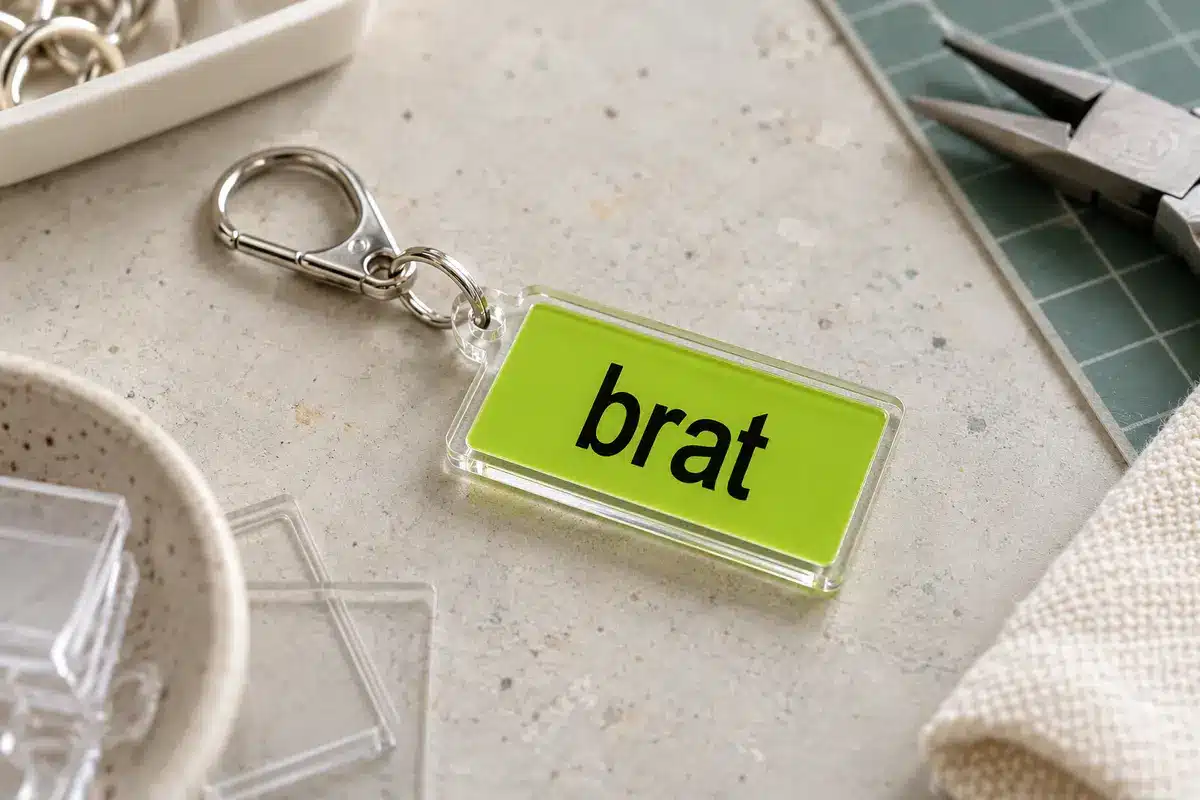
Brat Acrylic Keychain: Size, Thickness and Production Options
Acrylic keychains are small, so the design has to be simple, and production choices such as thickness and hole placement affect how it looks and holds up. This guide covers the artwork in the free Brat Text Generator and the production decisions.
Design for small size
A typical keychain is 5 to 7 cm across. At that size, only a short word reads clearly. Use bold letters, high contrast and a clean outline.
- Type one word into the generator and choose a bold, high-contrast pair from the colors guide.
- Export at the largest size.
- Plan a rounded rectangle or the outline of the word as the cut shape.
Production specs
| Spec | Typical choice |
|---|---|
| Thickness | 2 to 3 mm |
| Size | 5 to 7 cm |
| Hole | 3 to 4 mm, near the top, with 3 mm of material around it |
| UV print on clear acrylic | |
| Finish | Glossy or matte |
These are common supplier defaults, but check your supplier’s template, because requirements vary.
Safe zones and bleed
Keep text at least 3 mm from the cut line. Extend background color 2 mm beyond the cut to prevent a white edge if the cut is slightly off.
Options to produce them
- Order from a supplier, which usually has a minimum quantity.
- Use a local craft shop with a laser cutter.
- Make a DIY version with printable shrink plastic; see the sticker guide for related techniques.
Assembly
Add a split ring and chain or a lobster clasp. Test the hole strength by pulling gently.
Selling
Use original wording and an honest description. See the merch hub.
Mistakes to avoid
- Hole too close to the edge, which cracks.
- Text too small for the product.
- Skipping a sample.
Designing for both sides
If the keychain is clear acrylic, you can print different artwork on each side. Keep the front bold and the back plain so the layers do not compete. Use a white or solid backing behind the print to improve contrast.
Hardware choices
Pick a split ring and chain suited to the weight. Test the attachment by tugging it before gifting or selling.
A worked example: a name keychain
Suppose you want a keychain with your first name. You type “mia” in the generator, use black on lime, and export at the largest size. You send the file to a supplier with a 5 cm wide rounded rectangle cut shape and a 4 mm hole 4 mm from the top edge. A week later you receive a proof showing the layout. You approve, and the batch arrives with crisp text and a strong hole.
Troubleshooting
| Problem | Fix |
|---|---|
| Hole breaks out | Move it further from the edge or increase thickness |
| Print is misaligned | Increase bleed and keep text away from the edge |
| Colors differ from screen | Request a physical sample first |
| Scratches | Use a protective film or choose a harder finish |
Costs to expect
Small custom orders have a higher unit price because of setup. Ordering more units lowers the cost per piece, but only order a bigger batch after you have tested a sample.
Packaging
A small backing card with your name or a short message makes a keychain feel like a finished product.
Matching the artwork to the blank
Measure the exact outline of your acrylic blank, including the hole, then export the design at that size at 300 dpi. Leave a margin of 1 to 2 mm inside the cut edge so a slightly off-centre cut does not slice through a letter. Keep the hole clear of any text, and mirror the artwork if you plan to print on the back of clear acrylic so it reads correctly from the front.
Protecting the print
Printed paper behind clear acrylic can be sealed with a clear sleeve, a layer of clear adhesive film or epoxy resin. Epoxy gives a glossy dome but needs ventilation and curing time, while adhesive film is quicker and flatter. Whichever you choose, press out air bubbles from the centre outwards.
Safety when cutting or sanding
Acrylic can chip and the dust irritates eyes and lungs. Wear eye protection, work in a ventilated area and sand edges lightly with fine-grit paper.
What makes an acrylic keychain last
Durability depends on three things: the thickness of the acrylic, the protection over the print and the quality of the hardware. A 2 to 3 mm acrylic blank with a sealed print survives pockets and bags far better than a thin sheet.
A build in order
- Print the design at the blank’s size.
- Cut it out with a small margin.
- Protect it with a clear sleeve or adhesive film.
- Attach it between acrylic layers or behind clear acrylic.
- Add a split ring and chain.
- Pull-test the attachment.
Troubleshooting in practice
If air bubbles appear, work from the centre outwards and use a soft card to press them out. If edges look rough, sand them lightly. If the colours look dull, increase the contrast in your artwork.
Selling safely
Include care notes and packaging that protects the edge. Do not include third-party names or logos in your design.
Packaging for sale
If you sell keychains, package them in small bags with a backing card that shows your shop name and care notes. Protect the surface with a clear sleeve so it does not scratch in transit. Add a thank-you card, and photograph the packaged product for your listing so buyers know what to expect.
Frequently asked questions
Can I print both sides?
Yes, but it costs more.
What file do suppliers want?
Usually PNG at high resolution or a vector file; confirm with the supplier.
Is acrylic recyclable?
Acrylic can be recycled in some places, but not always through household schemes.
How long do they last?
With normal use, years; scratches appear on high-wear keys.
Do I need a cutting machine?
No. Many suppliers sell pre-cut blanks, so you only need to print and seal the design.
How big should a keychain be?
Two to three inches across is common, big enough to read a single short word.
Brat Generator is an independent tool and is not affiliated with, endorsed by, or sponsored by Charli XCX, her record label, or any related brand. Any album or trademark names are mentioned only to describe a visual style.