How to Use a Brat Generator for YouTube Thumbnails That Get Clicks
Bold, high-contrast thumbnails consistently outperform busy ones, and the Brat aesthetic happens to be built entirely around bold contrast — one flat background color and one block of readable text. That makes it a genuinely useful shortcut for creators who want a scroll-stopping thumbnail without hiring a designer.
Why the Brat Style Works for Thumbnails
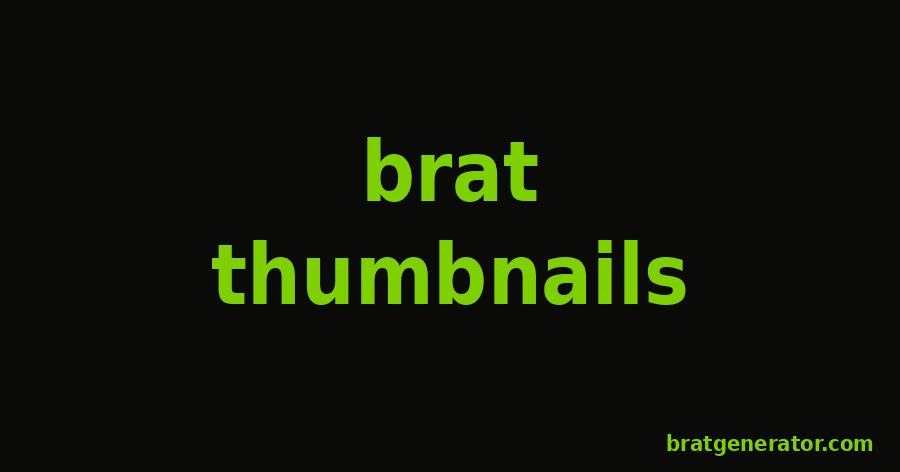
YouTube thumbnails are viewed at a small size on mobile devices most of the time, so busy compositions and thin text often disappear entirely. The Brat aesthetic solves that by default: a single saturated background color and large, bold, lowercase text are readable even when shrunk down to a tiny preview.
Step-by-Step: Building the Thumbnail
- Open the Brat Text Generator.
- Type a short, punchy phrase — three to five words works best for thumbnail readability.
- Push the font size slider up until the text fills most of the frame; thumbnails need to read clearly at a glance.
- Pick a high-contrast color pairing — green background with black text, or black background with green text, both hold up well at small sizes.
- Set alignment to center or left depending on where you plan to place any additional graphics or your face cam.
- Keep the blur setting low or off for thumbnails, since blur can hurt readability at small preview sizes even though it’s part of the original album look.
- Download the image and crop or resize it to YouTube’s recommended 1280×720 thumbnail dimensions if needed.
Thumbnail Text Tips
- Keep it short — long sentences shrink your font size and hurt readability.
- Avoid low-contrast pairings like white text on the cyan background for thumbnails; stick to the highest-contrast combinations.
- Test how it looks at actual thumbnail size, not just full screen, before publishing.
Try It Now
Head to the Brat Text Generator and build a thumbnail-ready graphic in under a minute.
Brat YouTube Thumbnails: Frequently Asked Questions
What size should a Brat-style YouTube thumbnail be?
YouTube recommends 1280×720 pixels for thumbnails, so export or resize your Brat-style graphic to match that ratio.
Which color combination works best for thumbnails?
High-contrast pairings like green background with black text, or black background with green text, hold up best at small preview sizes.
Should I use the blur effect on a thumbnail?
Generally no — blur is part of the original album look, but sharp text reads more clearly at the small sizes thumbnails are viewed at.
Do I need design software to make a Brat-style thumbnail?
No, a browser-based brat generator with text, color, and size controls is enough to build a complete thumbnail.
Build Your Thumbnail Now
Type your title and get a bold, high-contrast thumbnail in seconds.
Try the Brat Text Generator