Brat Generator vs Placeit: Text Images or Ready-Made Mockups?
Placeit is a marketplace for mockups and templates, including product photos you can drop a design into. The Brat Generator creates the design itself: a bold text image. This page explains how they fit together if you want to see your text on a mug, a phone screen or a shirt before ordering.
Placeit is a trademark of its owner. This page is an independent comparison and is not affiliated with or endorsed by Placeit. Plans, prices and limits change often, so confirm current details on the vendor’s own pricing page before you decide.
Two stages of the same project
| Stage | Tool type | Example |
|---|---|---|
| 1. Make the graphic | Text-image generator | Brat Text Generator |
| 2. Preview it on a product | Mockup tool | Placeit or similar |
| 3. Produce it | Print shop or craft machine | Local printer, iron-on, vinyl |
Stage 1: make a clean source file
Export a PNG at the largest preset. Keep high contrast, since small previews lose detail. If you want a transparent background, see the transparent background guide.
Stage 2: preview on a mockup
Mockup tools place your image on photos of products. This is useful for checking proportions: a phrase that looks good on screen may be too small on a mug or too wide on a phone case. Upload your PNG, position it and compare variants.
Stage 3: produce
Mockups are marketing images, not production files. Before ordering, confirm the printer’s template size, safe margins and file requirements. For crafts, use the cut file guide.
Intellectual property check
Before selling anything printed, check that your design does not use protected names, logos or artwork. Keeping your wording original is safest. The merch notes cover the basics.
When you do not need a mockup tool
If the final use is a screen image such as a wallpaper or profile picture, you can skip it. See the wallpaper size guide.
Mockups versus real proofs
A mockup is a picture of a product, not the product itself. Fabric texture, ink density and colour shift on real items, so order a physical sample before selling a batch. Use mockups to plan composition and size, and use samples to judge quality.
Size guidance for apparel and phone products
For a t-shirt chest print, designers often work around 10 to 12 inches wide; for a phone case, use the supplier’s template. Confirm with your printer, because their equipment limits the size.
Keeping your own files
Store your original headline PNG so you can reuse it in any other tool without depending on one service.
A worked example: a mug preview
You create “mornings” in the generator and place it on a mug mockup to see how it looks. In the preview, the word is smaller than you imagined, so you enlarge it. You then check the printer’s template: the print area is 20 by 9 cm, and you place the design inside it. You order one sample and compare it to the mockup; the color looks a little darker, so you note that for next time.
Checklist
| Step | Done |
|---|---|
| Source PNG is large | |
| Mockup shows correct scale | |
| Printer template used | |
| Sample ordered | |
| IP check complete |
When mockups mislead
Mockups often show perfect lighting and no wear. Real products look different, so rely on samples for decisions.
Putting a headline onto a mockup
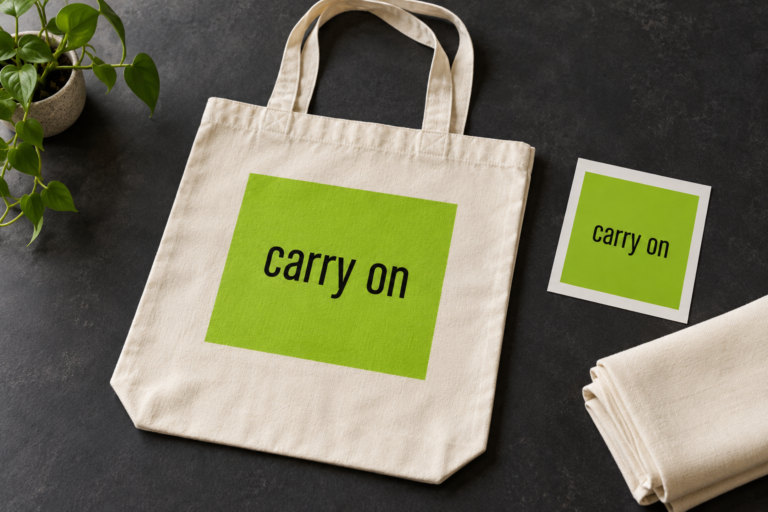
Mockup services show a design on products such as shirts or phone screens. The usual route is to export your headline from the generator as a PNG, then upload it as the artwork layer in the mockup tool. Mockups help you check proportions before you order a product, but they do not replace a physical proof.
Licences and honesty
Read the mockup service’s licence before using its images commercially, and make sure a mockup accurately represents the product you actually sell.
When mockups help and when they mislead
A mockup is a picture of how a design might look on a product. It helps you plan placement and proportions, but it cannot tell you how ink will behave on fabric or how a finish will feel. Treat it as a planning tool, not as proof.
A careful workflow
- Export your headline from the Brat Text Generator as a PNG at the largest size.
- Upload it into the mockup tool as the artwork layer.
- Check that the placement matches what your printer can actually produce.
- Order one physical sample and compare it against the mockup.
- Update your listing photos so they match the real product.
Checking licence terms
Before using mockup images commercially, read the service’s licence, check whether watermarks appear on free exports and see whether you can use the images in advertising.
Being honest in listings
If a mockup differs from the real product, use real photos instead. Buyers value honest images, and returns drop when listings are accurate.
Checking print resolution
Before sending artwork to a printer, check its pixel dimensions against the print size. For a good result, aim for around 300 pixels per inch at the final size. Smaller images will look soft when printed.
Frequently asked questions
Can you export at the resolution you need? Does the licence cover your use? Is a watermark added on the free plan? Does the mockup reflect a real product you will sell? Answers to these save wasted effort.
Does the generator create mockups?
No. It creates the flat image only.
Are mockups free?
Mockup tools usually offer a mix of free and paid options; check the current terms.
Can I use mockups in my shop?
Check the terms for commercial use.
Do I need a mockup for every product?
One or two per product type is typical.
Can I sell products shown in a mockup?
Only if the mockup service’s terms allow it and your design is original.
Does the PNG size matter?
Use the largest export so the mockup tool does not enlarge a small image.
Brat Generator is an independent tool and is not affiliated with, endorsed by, or sponsored by Charli XCX, her record label, or any related brand. Any album or trademark names are mentioned only to describe a visual style.