Brat-Style Threads Profile & Post Sizes (That Won’t Get Cropped)
Quick answer: Threads profile pictures are 320x320px, displayed as a circle. Single post images work best at 1080x1350px (4:5 portrait, the recommended format), with 1080x1080px square, 1080x1920px vertical, and 1200x628px landscape also supported. Carousel posts take up to 10 images or videos at 1080x1350px per slide. Video posts run up to 5 minutes at 1080x1920px, max file size 1GB.
Threads’ portrait format consistently outperforms square or landscape images, which is exactly why so many brat-style posts built at the wrong ratio lose their impact in the feed.
Threads Profile Picture Size
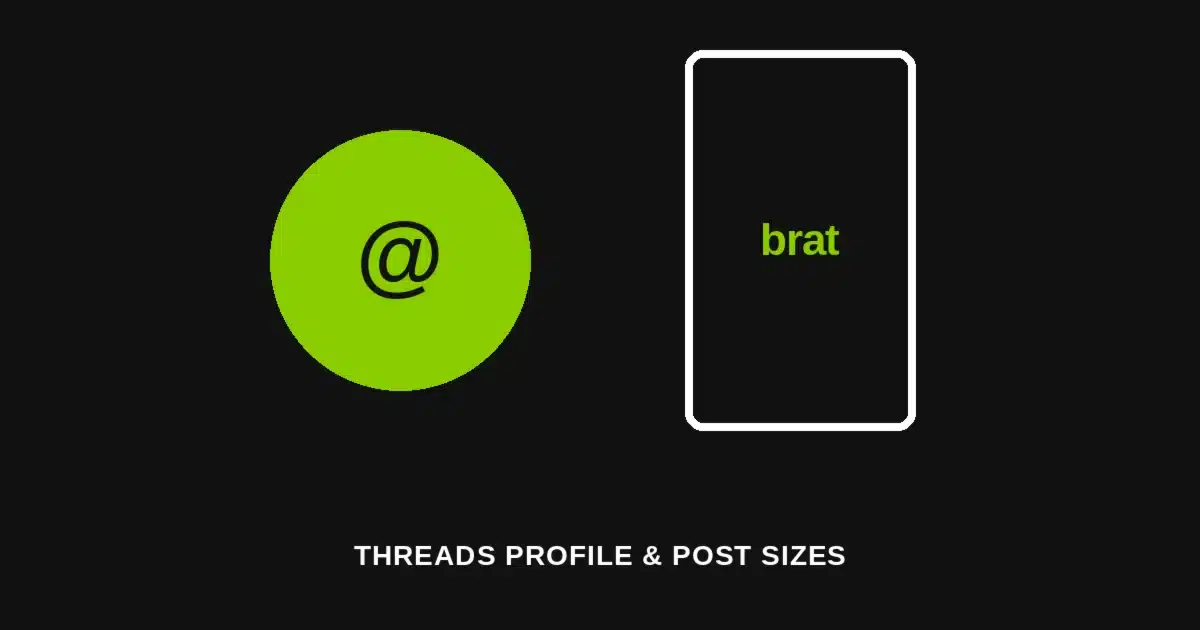
The profile picture displays as a circle at 320x320px, so a square 320x320px source crops cleanly without stretching. Threads accepts files up to 10MB for the profile image.
A flat-color brat-style icon with bold centered text reads clearly even inside the circular crop, which matters more than it sounds — anything positioned near the square’s corners gets cut off.
Single Post Image Sizes
Threads supports four image shapes for a single post, but they are not treated equally by the feed’s algorithm.
| Format | Size | Aspect Ratio |
|---|---|---|
| Portrait (recommended) | 1080x1350px | 4:5 |
| Square | 1080x1080px | 1:1 |
| Vertical | 1080x1920px | 9:16 |
| Landscape | 1200x628px | 1.91:1 |
Portrait is the recommended format for Threads, and posts built at 4:5 consistently drive higher engagement than square or landscape images in the same feed.
Every image format accepts files up to 100MB, so file size is rarely the limiting factor — getting the aspect ratio right is.
Carousel Post Sizes
A carousel post can hold up to 10 images or videos, with each slide sized the same as a single portrait post: 1080x1350px at a 4:5 ratio, up to 100MB per slide.
Keeping every slide in a carousel at the same 4:5 ratio avoids the inconsistent cropping that happens when slides mix aspect ratios within one post.
Video Post Sizes
Video posts on Threads work best at 1080x1920px (9:16), with a maximum duration of 5 minutes and a file size cap of 1GB. MP4 and MOV are the accepted formats, with H.264 encoding recommended for the cleanest playback.
Feature-by-Feature Comparison
| Element | Size | Max File Size |
|---|---|---|
| Profile picture | 320x320px (circle) | 10MB |
| Post — portrait (recommended) | 1080x1350px (4:5) | 100MB |
| Post — square | 1080x1080px (1:1) | 100MB |
| Post — vertical | 1080x1920px (9:16) | 100MB |
| Post — landscape | 1200x628px (1.91:1) | 100MB |
| Carousel (per slide) | 1080x1350px (4:5) | 100MB |
| Video | 1080x1920px (9:16), up to 5 min | 1GB |
Building Each Size With a Free Generator
For the profile picture: generate the flat brat-style graphic at a square canvas, keeping the main text or icon centered so nothing important sits near the corners the circular crop removes.
For post images: default to 1080x1350px portrait unless the content genuinely needs a different shape — the 4:5 ratio is what the feed favors, not just a technical option among several.
For a carousel: generate every slide at the same 1080x1350px size so the set reads as one consistent post rather than a mismatched sequence.
Common Mistakes to Avoid
Posting square when portrait performs better. Square still works technically, but portrait posts consistently see more engagement — defaulting to 4:5 is worth the habit.
Centering a profile picture design for a square frame. The circular crop removes the corners, so anything placed there in a square-cropped design gets cut off entirely.
Mixing aspect ratios across a carousel. A carousel with inconsistent slide shapes crops unevenly as viewers swipe, breaking the visual flow a matched set would have kept.
Ignoring the video length cap. Threads caps video posts at 5 minutes — checking this before exporting a longer clip saves a failed upload.
Who This Guide Is For
Anyone building a brat-style presence on Threads — a profile picture that reads clearly in the circular crop, a single post sized for the format the feed actually favors, or a consistent carousel set that doesn’t crop unevenly between slides.
A Quick Reference Before You Post
Profile picture: 320x320px, circular crop. Posts: 1080x1350px portrait by default, with square, vertical, and landscape also supported. Carousel: up to 10 slides at 1080x1350px each. Video: 1080x1920px, up to 5 minutes, 1GB max.
Frequently Asked Questions
What size should a Threads profile picture be? 320x320px, displayed as a circle, with files accepted up to 10MB.
What’s the best image size for a Threads post? 1080x1350px (4:5 portrait) is the recommended format and consistently performs better than square or landscape in the feed.
Does Threads support carousel posts? Yes, up to 10 images or videos per post, with each slide sized at 1080x1350px (4:5).
What’s the maximum video length on Threads? 5 minutes, with a file size cap of 1GB and MP4 or MOV as the accepted formats.
Can I post a square image on Threads? Yes, 1080x1080px square is supported, but portrait images at 1080x1350px tend to drive more engagement.
What’s the landscape size for a Threads post? 1200x628px at a 1.91:1 aspect ratio, the widest of the four supported shapes.
Why does my profile picture look cropped wrong on Threads? The profile picture displays as a circle, so a square source with important content near the corners gets that content cut off — keep the design centered.
What’s the maximum file size for a single Threads post image? 100MB for any of the four image formats, which is rarely a limiting factor compared to getting the aspect ratio right.
Need a flat-color brat graphic sized exactly for a Threads post or profile? Head to the Brat Text Generator and export it free, full resolution, no sign-up required.
Related reading: Brat WhatsApp Status & DP Sizes, Brat Reddit Banner & Avatar Sizes, Brat Instagram Highlight Covers